Enhanced PowerShell script for Windows system management
Unleashing the Power of Enhanced PowerShell Script: A Game-Changer for Windows System Administration
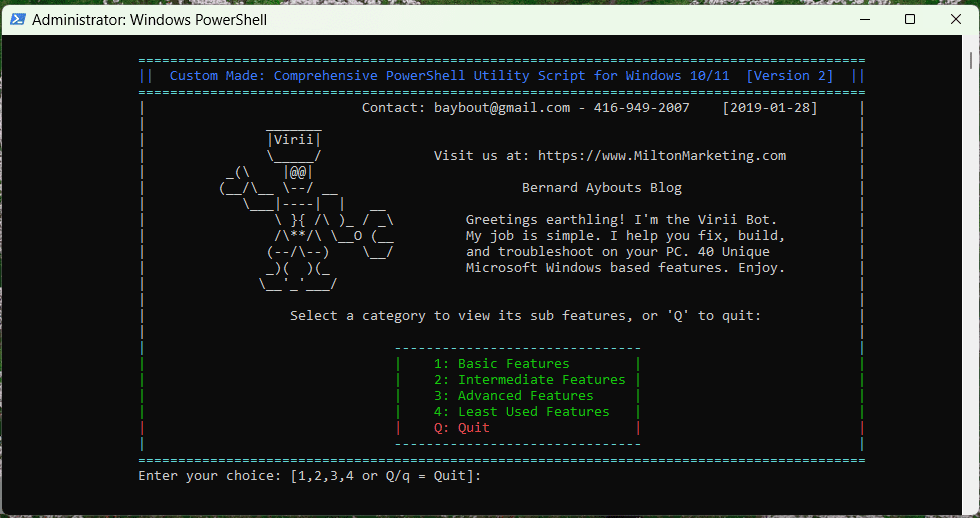
Enhanced PowerShell script for Windows system management. In the dynamic world of IT, system administrators and tech enthusiasts are always on the lookout for tools that can streamline their workflow and enhance productivity. Enter the realm of PowerShell, a powerful scripting language and shell framework developed by Microsoft. It’s a tool that has revolutionized the way we manage Windows-based systems. But what if we told you there’s an enhanced PowerShell script that takes its capabilities to the next level? This article delves into an advanced PowerShell script that integrates 40 unique Microsoft Windows utilities and troubleshooting features, effectively becoming the Swiss Army knife for administrators and techies alike.
Why use bloatware when you can just use the standard Microsoft Windows tools???
What is the Enhanced PowerShell Script?
Crafted with over 30 years of computer helpdesk experience on Windows systems, this enhanced PowerShell script is a comprehensive solution that encapsulates the wisdom and insights of decades into a single, potent script. It’s command-based, yet features an ASCII text menu that’s intuitive and easy to navigate. Essentially, it’s 40 things a technician would do to fix a specific issue on your computer, now available at your fingertips.
The Features Unpacked
This script is not just another tool; it’s a manifestation of years of troubleshooting, refined into an accessible and powerful script. Here’s a glimpse into its capabilities:
-
Comprehensive Capabilities of the Enhanced PowerShell Script
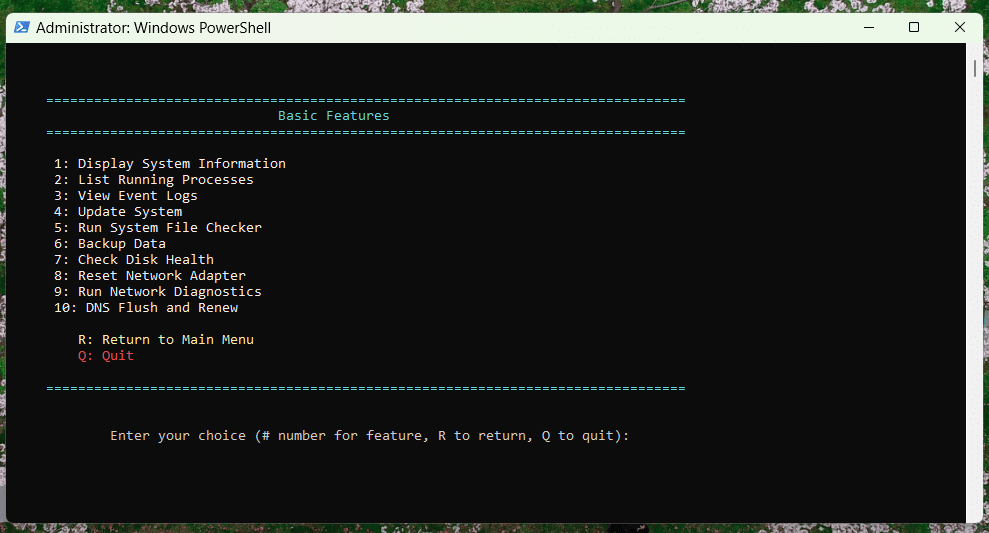
- Display System Information: Provides a detailed overview of the system’s hardware and software configuration.
- List Running Processes: Enumerates all currently active processes, allowing for monitoring and management.
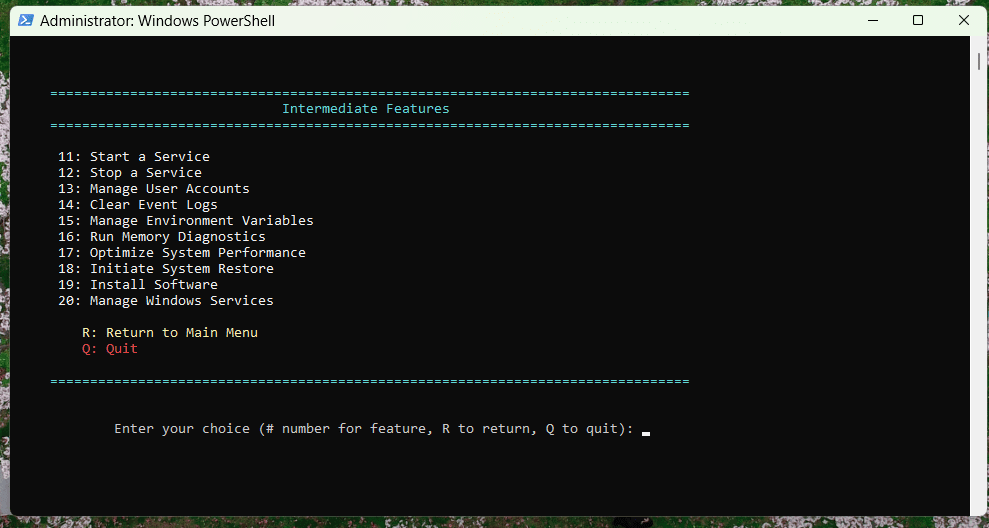
- Start a Service: Facilitates the initiation of Windows services manually.
- Stop a Service: Allows for the stopping of Windows services as required.
- View Event Logs: Offers the ability to inspect system event logs for troubleshooting.
- Clear Event Logs: Clears event logs to free up system resources and maintain privacy.
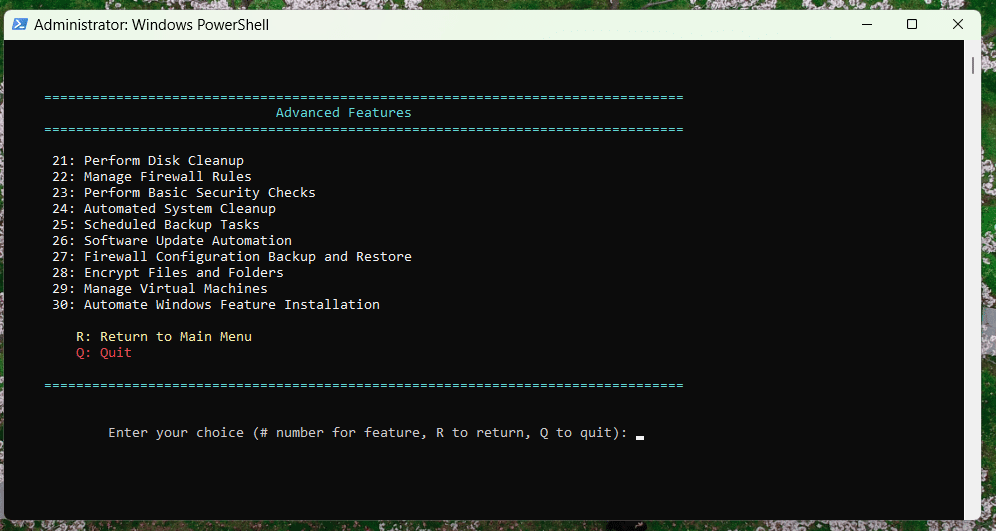
- Perform Disk Cleanup: Automates the process of disk cleaning to optimize storage space.
- Update System: Streamlines the process of applying system updates and patches.
- Reset Network Adapter: Quickly resets network adapters to resolve connectivity issues.
- Run System File Checker: Scans for and repairs corrupt or missing system files.
- Troubleshoot Windows Update Issues: Provides automated fixes for common problems with Windows Update.
- Manage Firewall Rules: Allows for the customization and management of Windows Firewall settings.
- Run Memory Diagnostics: Tests system memory for errors and potential issues.
- Check Disk Health: Assesses the health and performance of physical disks.
- Manage User Accounts: Enables the creation, modification, and deletion of user accounts.
- Backup Data: Automates the process of backing up important system and user data.
- Initiate System Restore: Facilitates the creation and utilization of system restore points.
- Run Network Diagnostics: Diagnoses and resolves common network connectivity problems.
- Install Software: Streamlines the installation of software packages.
- Manage Environment Variables: Provides easy management of system and user environment variables.
- Manage Windows Services: Offers detailed control over the configuration and operation of Windows services.
- Optimize System Performance: Implements system tweaks and optimizations to enhance overall performance.
- Perform Basic Security Checks: Evaluates the system for basic security vulnerabilities and configuration issues.
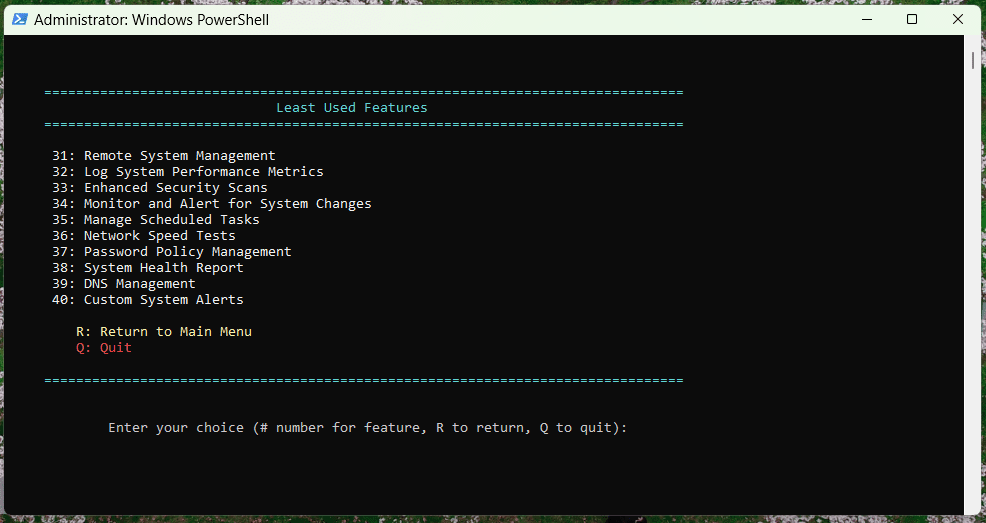
- Remote System Management: Enables remote control and management of other systems in the network.
- Log System Performance Metrics: Collects and logs various performance metrics for analysis.
- Enhanced Security Scans: Performs deep security scans to detect and mitigate threats.
- Automated System Cleanup: Schedules and executes comprehensive cleanup tasks to maintain system cleanliness.
- Scheduled Backup Tasks: Automates the scheduling of backup operations for data safety.
- Monitor and Alert for System Changes: Watches for unexpected system changes and alerts administrators.
- Software Update Automation: Automates the process of checking for and applying software updates.
- Firewall Configuration Backup and Restore: Facilitates the backup and restoration of firewall configurations.
- Manage Scheduled Tasks: Provides management capabilities for automated scheduled tasks.
- Network Speed Tests: Executes speed tests to evaluate network performance.
- Password Policy Management: Allows for the definition and enforcement of password policies.
- System Health Report: Generates comprehensive reports detailing system health and performance.
- Encrypt Files and Folders: Offers file and folder encryption services to protect sensitive data.
- Manage Virtual Machines: Provides tools for the management of virtual machines within the system.
- DNS Flush and Renew: Clears and renews DNS settings to resolve connectivity issues.
- Automate Windows Feature Installation: Automates the process of adding features to Windows.
- Custom System Alerts: Enables the creation of custom alerts for monitoring specific system events.
Why It’s a Game-Changer – Enhanced PowerShell script for Windows system management
This script democratizes access to advanced system troubleshooting and management tools, making them accessible to not just seasoned administrators but also to enthusiasts and beginners. It embodies the essence of PowerShell’s flexibility and Microsoft’s utilities, providing a one-stop solution for nearly every common Windows issue.
Conclusion
The enhanced PowerShell script stands as a monumental achievement in the realm of Windows system management, epitomizing the sheer power of scripting and automation within the Windows ecosystem. It’s much more than a mere tool; it’s a comprehensive solution that amalgamates 40 robust capabilities, tailored to automate routine tasks, address common system issues, and bolster system performance and security. This script transcends conventional boundaries, offering both seasoned system administrators and tech enthusiasts alike an unparalleled level of efficiency and control. With this script, you’re not just managing Windows systems; you’re redefining the paradigms of what’s achievable with PowerShell, placing an extraordinary suite of utilities at your fingertips. Embrace the future of system administration and unlock a new horizon of possibilities, efficiency, and power with the enhanced PowerShell script.
Script is being compiled and tested:
Our PowerShell script can run on various versions of the Windows operating system, but the version of PowerShell available may vary depending on the specific Windows version. Here is a list of Windows versions along with the PowerShell versions they can initially run and compatible with our script:
-
Windows XP SP2 and later – PowerShell 1.0 (with .NET Framework 2.0 and WinRM 2.0)
-
Windows Server 2003 – PowerShell 1.0
-
Windows Vista – PowerShell 2.0
-
Windows Server 2008 – PowerShell 2.0
-
Windows 7 – PowerShell 2.0
-
Windows Server 2008 R2 – PowerShell 2.0
-
Windows 8 – PowerShell 3.0
-
Windows Server 2012 – PowerShell 3.0
-
Windows 8.1 – PowerShell 4.0
-
Windows Server 2012 R2 – PowerShell 4.0
-
Windows 10 – PowerShell 5.0 (and can be updated to PowerShell 5.1)
-
Windows Server 2016 – PowerShell 5.1
-
Windows Server 2019 – PowerShell 5.1
-
Windows 11 – PowerShell
Additionally, PowerShell Core 6.x, which is a cross-platform version of PowerShell, can also be run on Windows systems that support it, including Windows 7 SP1, Windows Server 2008 R2, and later versions. PowerShell Core 6.x is based on .NET Core and it is an open-source project, and so is our script.
PowerShell 7, the successor to PowerShell Core 6.x and also cross-platform, continues this support and can be installed on Windows 8.1, Windows Server 2012 R2, and later versions.
It’s important to note that newer versions of PowerShell are generally backward compatible with older Windows versions, but installation may require updates or manual installation processes. Users can download and install newer versions of PowerShell from the Microsoft website or through package managers like Chocolatey, provided their Windows version meets the necessary prerequisites.
Our script is over 20,000 lines of robust, dynamic, and resourceful PowerShell Script code. Available for download soon. Cheers.