Approx. read time: 8.8 min.
Post: AI for People with Disabilities 21 Benefits, Risks & Fixes
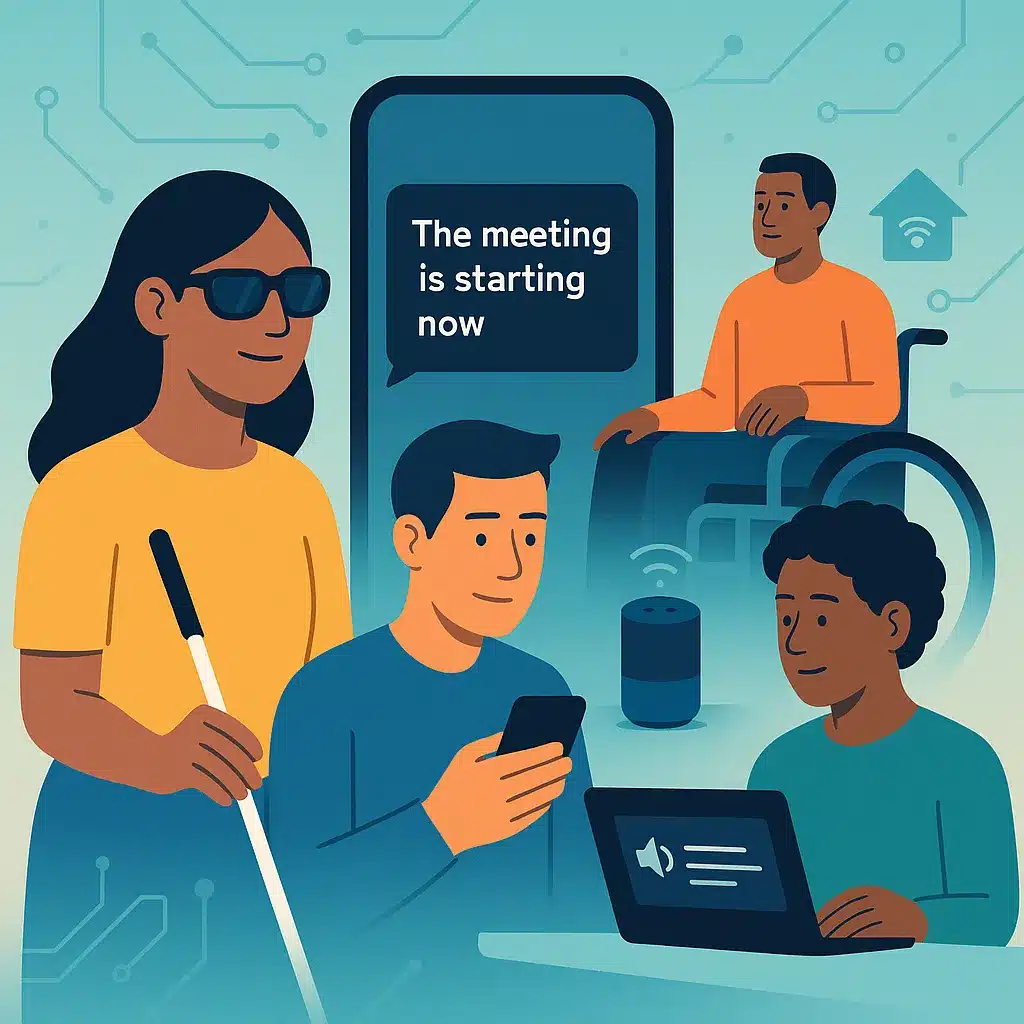
Artificial intelligence isn’t “coming”—it’s here, and it’s already changing how millions of people live, learn, work, and communicate. For AI for people with disabilities, the upside is huge: more independence, faster access to information, and tools that adapt to you—not the other way around. But if we don’t build inclusively, AI can also amplify bias, miss atypical speech, or ship interfaces that shut people out. This guide cuts through the hype with practical wins, real risks, and a developer playbook to do it right.
👁️ Visual access: phones and glasses that “describe” the world
Microsoft’s Seeing AI app narrates what the camera sees—people, text, products, currency, colors, and scenes—turning a phone into a pocket-sized visual assistant. It’s designed with and for the blind/low-vision community and keeps expanding as the tech improves.
Be My Eyes pairs users with volunteers for live assistance and now includes Be My AI (GPT-4-powered) to get instant image descriptions without waiting.
On wearables, Ray-Ban | Meta smart glasses added more detailed environment descriptions and a “Call a Volunteer” feature (via Be My Eyes) so a sighted helper can see your view through the glasses and guide you in real time.
🗣️ Hearing access: live captions everywhere (and getting better)
Android’s Live Transcribe turns speech and sounds into on-screen text instantly—no special hardware needed. It’s built into modern Android and supported by Google’s Accessibility team.
Meeting platforms are catching up: Zoom has pushed accuracy and customization upgrades to real-time captions, and even streamers like Max are piloting AI-generated captioning pipelines to accelerate turnaround (with human QA in the loop).
For a quick overview of mainstream phone features assisting hearing loss (real-time captions, sound recognition, hearing-aid integration), see this recent explainer.
🧠 Cognitive & speech: support for focus, memory, and voice
People with ADHD, dyslexia, or memory issues benefit from AI summarizers, task chunking, and structured prompts. Apple added Live Speech (type-to-talk during calls) and Personal Voice (create a private, on-device synthetic voice to speak through Live Speech)—critical for users at risk of losing speech.
🧍 Mobility & smart homes: “hands-free” actually means free
Voice assistants and smart-home automations can handle lighting, doors, temperature, timers, and reminders—reducing reliance on fine motor tasks. Research shows mainstream smart-home + voice setups improve functional independence and even reduce loneliness among users with mobility impairments when deployed with proper onboarding.
🎓 Inclusive education: personalized, multimodal learning
Adaptive platforms and AI tutors give alternative explanations, chunk steps, and provide text-to-speech / speech-to-text pipelines—especially helpful for dyslexia and attention challenges. Higher-ed and K-12 are leaning into AI-driven accessibility to make learning more equitable.
💼 Employment: productivity boosts and remote work that actually works
From meeting notes and translation to structured writing aids, AI lowers barriers to communication and admin overhead. The caveat: AI in hiring remains risky if systems aren’t audited for disability fairness (see “Bias & Exclusion” below).
⚠️ The downside: three failure modes you can’t ignore
🎯 Computer vision bias
NIST’s long-running Face Recognition Vendor Tests document demographic differentials in error rates. Translation: some algorithms misidentify certain populations more often, which can worsen access or safety when vision models gate services. Use the latest reports to benchmark vendors and demand published error profiles by subgroup.
🎤 Atypical speech still trips ASR
Off-the-shelf speech recognition remains less accurate for dysarthric or atypical speech. Recent surveys and studies confirm accuracy drops as intelligibility decreases—improving, but not solved. If your product relies on voice, provide robust alternatives (touch, keyboard, switch controls) and consider personalized acoustic “enrollment.”
🖱️ Interfaces that ignore accessibility basics
Too many AI tools ship with unlabeled buttons, no keyboard flows, and confusing focus states. The fix isn’t mysterious: build to WCAG 2.2 (AA) and test with real users.
🕳️ Black-box decisions with real-world fallout
When AI screens job applicants or allocates opportunities, opacity can mask discrimination. Amazon famously scrapped an internal recruiting tool after discovering gender bias—a cautionary tale for any org adopting AI in HR or student selection.
🛡️ Policy & compliance: what matters in 2025
Even if you’re not a lawyer, you need to know the floor: ADA Title II now has a final DOJ rule requiring accessible web and mobile content for state/local governments (and it’s an anchor many institutions and vendors follow). Pair that with WCAG 2.2 AA as your baseline technical standard.
🧰 Quick tool finder (starter picks you can try today)
| Need | AI-powered tool | What it does |
|---|---|---|
| Visual descriptions | Seeing AI | Reads text, IDs objects/products/faces; scene descriptions. |
| Instant visual help | Be My Eyes / Be My AI | Live volunteer assistance + GPT-4 image descriptions. |
| Live captions | Android Live Transcribe; Zoom Captions | Real-time speech-to-text in person and in meetings. |
| Type-to-talk / voice banking | Apple Live Speech & Personal Voice | Speak typed text during calls; create a private synthetic voice. |
| Hands-free home control | Alexa/Google/Apple + smart devices | Automate lights, locks, temperature; reminders & routines. |
(Details & links: Seeing AI; Be My Eyes/Be My AI; Live Transcribe; Zoom; Apple Live Speech/Personal Voice; smart-home research.)
🧪 Developer playbook: ship inclusive by default
🧩 1) Design for multiple inputs from day one
-
Always offer keyboard navigation, descriptive labels, and visible focus states.
-
Provide speech + touch + keyboard + switch controls wherever possible.
-
Bake in captioning, transcripts, and audio descriptions—not as “nice to have.”
Use WCAG 2.2 AA for criteria and conformance, and the “Understanding” docs to interpret edge cases.
🧪 2) Test with real users (not just your team)
-
Recruit blind/low-vision, DHH, mobility-impaired, and neurodivergent testers.
-
Add atypical speech corpora to your QA; allow personalized speech profiles.
The literature is clear: atypical speech needs targeted modeling or user adaptation to close the gap.
📊 3) Demand bias reports from vendors
-
Require subgroup error metrics (e.g., WER by speech disorder severity; FRVT-style CV gaps).
-
Reject systems without auditable logs or explanations for adverse actions.
NIST FRVT is the bar for computer-vision transparency—use it as leverage.
🔁 4) Offer alternatives when AI fails
-
If ASR confidence drops, auto-switch to a large, high-contrast type-to-talk panel.
-
Provide a “request human” button (Think: Be My Eyes pattern at work).
🔐 5) Privacy by design
-
Keep sensitive voice/vision data on-device when possible.
-
Offer clear consent, retention windows, delete-my-data, and private modes.
🏛️ 6) Map to policy now
-
For public-sector or EDU, align roadmaps to ADA Title II timelines and WCAG 2.2 AA.
🔮 What’s next: wearables, sign-language inputs, and better multimodal AI
Expect more assistive wearables (e.g., smart glasses that can describe scenes and connect you to volunteers), plus serious work on sign-language interfaces for assistants and smart homes. Early studies show strong user interest in ASL-based interactions; researchers are prototyping sign-to-assistant experiences now.
🧱 Practical setup recipes
🏠 Smart home starter (mobility)
-
Echo Show + 2 smart plugs + 2 smart bulbs.
-
Routines: “Good Morning” (lights on, weather, calendar), “I’m Home” (door unlock + hall light).
-
Safety: chime + camera alerts + “drop in” contacts.
Backed by research showing independence and loneliness reduction when deployed with training.
👂 Live captions everywhere (hearing)
-
Android: enable Live Transcribe; pin a homescreen tile.
-
Meetings: turn on platform captions (Zoom); share a “caption etiquette” one-pager company-wide.
🧠 Type-to-talk + voice banking (speech)
-
Set up Live Speech with favorite phrases; train Personal Voice early (before it’s needed).
✅ Accessibility & AI checklist
-
WCAG 2.2 AA coverage documented.
-
Keyboard, screen reader, captions, transcripts, alt text—verified.
-
Subgroup performance metrics published (vision, speech).
-
Human-in-the-loop fallback for low-confidence AI.
-
Clear consent, retention, and deletion flows.
-
Internal bug-bash with disabled users every release.
-
Public-sector? Map deliverables to ADA Title II milestones.
❓ FAQs
Q1. What is the single best place to start with AI for people with disabilities?
Start with live captioning and smart-home routines; they deliver immediate value with minimal setup.
Q2. Which app gives the fastest “what am I looking at” descriptions?
Seeing AI and Be My AI are the two to try first; both are fast and improving.
Q3. Are auto-captions good enough for work meetings?
They’re improving, but quality depends on audio, accents, jargon. Provide live captioning and chat-based Q&A for backup.
Q4. Can smart glasses really help with navigation and tasks?
Yes—Meta’s recent updates add richer scene descriptions and volunteer help from the glasses.
Q5. How do I support atypical or slurred speech?
Offer alternative inputs (typing, switch, eye-tracking) and consider per-user speech profiles; today’s ASR still struggles at lower intelligibility.
Q6. What standard should my website or app meet?
WCAG 2.2 AA is the baseline technical standard to target.
Q7. Does the law actually mention AI?
Laws typically require accessible outcomes (e.g., ADA Title II for public entities), not specific tech. Your AI must meet those outcomes.
Q8. Is Be My AI private and safe?
Use it thoughtfully: avoid sharing sensitive info in the camera view and review the app’s privacy policy. (General safety guidance; see vendor docs.)
Q9. What’s the difference between Live Transcribe and platform captions?
Live Transcribe covers in-person conversations and many apps; platform captions (Zoom, etc.) cover meetings inside that platform.
Q10. How can schools make AI accessible quickly?
Adopt captioning/transcripts first, then build a WCAG-aligned plan for LMS and assessments; train staff on accommodations.
Q11. Should HR use AI screening?
Only with bias monitoring, explanations, and opt-out paths; history shows real risk.
Q12. What’s next for accessibility tech?
More multimodal AI, sign-language input, and on-device models that protect privacy while personalizing.
🧩 Conclusion (and your next move)
The promise is real: AI for people with disabilities can turn a phone into a reader, a meeting into text, and a house into an assistant. The risk is also real: biased models, brittle speech systems, and inaccessible interfaces. Build (or buy) with WCAG 2.2 AA, test with real disabled users, demand subgroup metrics from vendors, and always provide a human-help fallback. Do that, and you don’t just make products “accessible”—you make them indispensable.
📚 Sources & references – AI for people with disabilities
-
W3C — WCAG 2.2 Overview & Understanding. W3C+1
-
U.S. DOJ — ADA Title II web & mobile accessibility final rule (2024). ADA.gov
-
NIST — FRVT demographic differentials reports. NIST Pages+1
-
Microsoft Seeing AI. seeingai.com
-
Be My Eyes / Be My AI. Be My Eyes+1
-
Google Live Transcribe. Google Help
-
Zoom captioning updates (2025). zoom.com
-
Meta’s smart-glasses accessibility features (2025). The Verge
-
Atypical speech & ASR performance (surveys/studies). ScienceDirect+1
Related Videos:

Related Posts:
How to Balance Female Hormones: 5 Evidence-Based Fixes
AI for Workplace Burnout 25 Practical Ways to Fix Work Without Breaking
Protect Your Mood Around Toxic People 12 Proven Moves
Protect Your Health from Stress 16 Proven Relationship Tactics
AI in PTSD Therapy 8 Game Changers for Care
Related Posts




The Longevity Blueprint: AI-Powered Health Optimization
About the Author: Bernard Aybout (Virii8)