Approx. read time: 8.9 min.
Post: Thermal Camera Password Cracking: ThermoSecure Explained
Thermal Camera Password Cracking: ThermoSecure Explained
Long, complex passwords feel like the final boss of personal security. You pick 16 characters, sprinkle symbols, avoid real words, and pat yourself on the back.
Then reality taps you on the shoulder: attackers don’t always “guess” passwords. Sometimes they measure clues you accidentally leave behind—like heat.
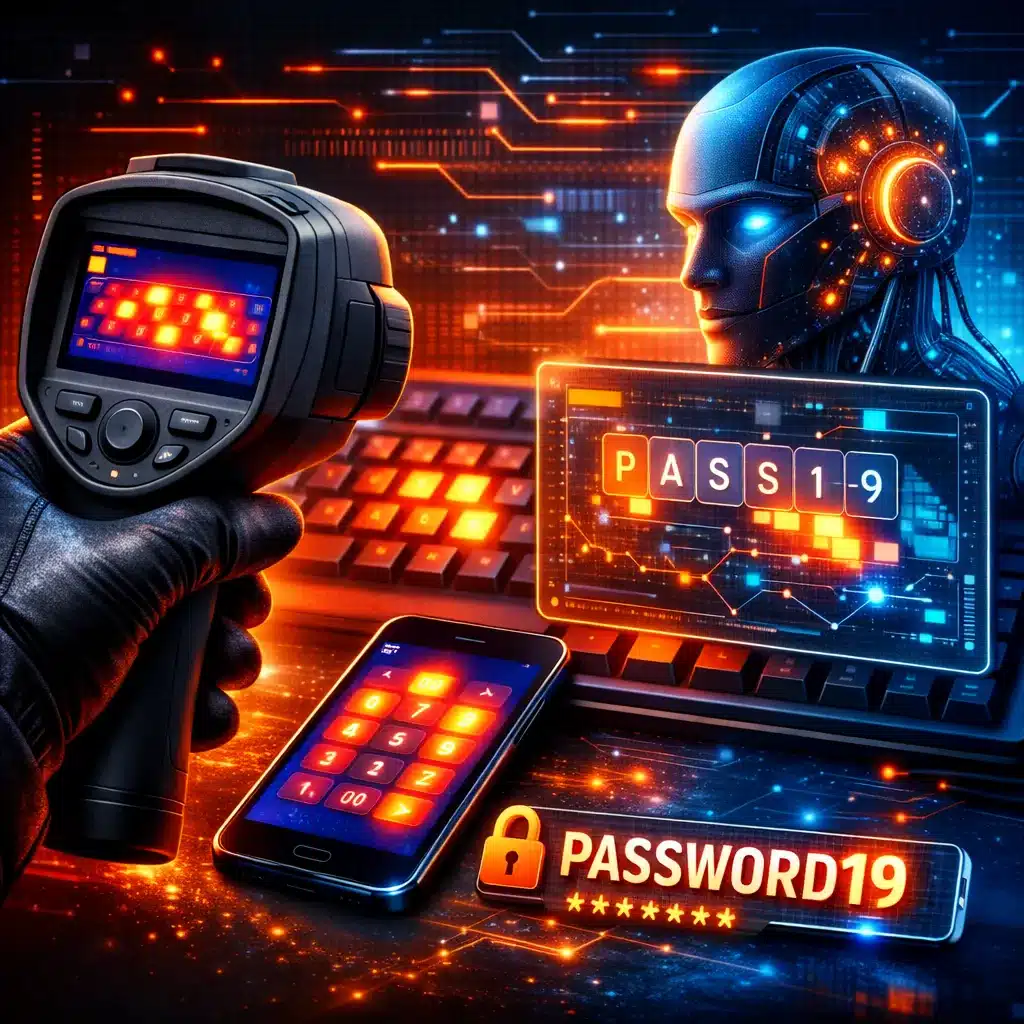
Researchers at the University of Glasgow showed that thermal camera password cracking can work by analyzing heat patterns left on keys or touchscreens right after someone types a password. Their system, ThermoSecure, pairs thermal images with AI to infer what was pressed and in what order.
🧊 What “thermal camera password cracking” actually means
A “thermal attack” uses a thermal imaging camera to capture the heat signatures your fingertips leave behind. Those signatures fade fast, but in a short window they can reveal which keys were touched—and sometimes the likely order.
This is a side-channel attack. Translation: instead of breaking encryption or brute-forcing logins, it exploits “breadcrumbs” from normal human behavior.
🧠 How ThermoSecure works (in plain English)
ThermoSecure combines two things:
- Thermal imaging to capture a heat map of recently-touched keys/areas
- AI-based detection to map those hot spots onto actual keys (the researchers describe using an object detection approach based on Mask R-CNN)
The key point: this isn’t movie magic. It’s pattern recognition plus timing.
📊 ThermoSecure results: how accurate was it?
In the researchers’ testing, ThermoSecure achieved the following average accuracy:
| Password length | ThermoSecure average accuracy |
|---|---|
| 6 symbols | 92% |
| 8 symbols | 80% |
| 12 symbols | 71% |
| 16 symbols | 55% |
Those figures are reported directly in the research summary and coverage of the study.
Even 55% for a 16-symbol password is unsettling because it’s not “guessing randomly.” It’s narrowing the search using physical evidence.
⏱️ Why the first 30 seconds matters (a lot)
Heat fades quickly. So timing is everything.
Both the University of Glasgow write-up and coverage of the paper note the attack is more effective when thermal images are taken within ~30 seconds of password entry.
So this isn’t a “someone checks your keyboard an hour later” problem. It’s a “you stepped away for a moment” problem.
🎯 Who’s most at risk (the real-world threat model)
Let’s be blunt: most people aren’t being hunted with thermal cameras.
But some situations are naturally vulnerable:
- Shared offices (hot desks, coworking spaces, labs, classrooms)
- Public terminals and kiosks
- ATMs / keypads
- Anywhere you unlock a device and then walk away (even briefly)
University of Glasgow explicitly frames the risk across computer keyboards, smartphone screens, and ATM keypads when devices are left unguarded.
🐢 Typing style can make you easier to hit
The researchers found typing behavior matters: hunt-and-peck typists (slow, single-finger searching) are more vulnerable than fast typists.
That makes sense: slower input gives hotter, more distinct “hits” and clearer separation between presses.
🧨 Why “strong passwords” alone don’t save you here
A strong password helps against:
- brute force
- credential stuffing
- dictionary attacks
Thermal camera password cracking is different. It tries to recover the password from the act of typing. So “make it longer” helps, but it doesn’t fully solve the problem—especially if the attacker gets a clean thermal capture quickly.
This is the same reason we tell people to care about phishing, not just password strength. Attackers go around the front door.
🛡️ Fast defenses that actually work
Here are the defenses that give you the biggest security boost without turning your life into a paranoia hobby:
- Don’t leave devices unattended right after typing a password
- Use autofill wherever possible (less manual typing = less thermal evidence)
- Move high-value accounts to passkeys
- Use MFA (prefer app-based or security keys over SMS when you can)
CISA’s guidance is clear: use long, unique passwords and a password manager to generate/store them.
🔑 Password managers: the underrated “thermal fix”
If you use a password manager properly, you type fewer passwords overall. That reduces exposure to thermal attacks and improves your security baseline.
Use your manager for:
- generating long random passwords
- autofill on sites/apps
- storing recovery codes
This doesn’t eliminate all risk (you still unlock the manager), but it dramatically shrinks the number of times you physically type valuable credentials.
🧬 Go passwordless: passkeys are the cleanest win
If you want the “tell it like it is” answer: passkeys are the long-term fix for a whole class of password problems, including shoulder-surfing and many phishing scenarios.
FIDO explains passkeys as cryptographic credentials that let you sign in using the same method you use to unlock your device (biometric/PIN), without typing a password.
Apple also describes passkeys as a password replacement that’s faster and more secure.
So if you’re worried about thermal camera password cracking on devices you use in public or shared spaces, moving key accounts to passkeys is a smart play.
🗝️ Physical security keys: great for high-value accounts
For admins, business owners, and anyone protecting valuable accounts, hardware security keys (FIDO2/WebAuthn) are one of the best “phishing-resistant” options available.
They also help because the “secret” isn’t typed in a way that leaves heat traces on keys.
💡 Keyboard and device tricks that help (without being weird)
You don’t need to wear gloves like a cartoon hacker hunter. But a few practical habits can lower risk:
- Touch typing > hunt-and-peck (faster, less distinct thermal pattern)
- Avoid stepping away immediately after login in public/shared areas
- Use biometrics/PIN on-device, and passkeys for accounts (less password entry)
Some coverage also mentions backlit keyboards as a possible way to reduce visible thermal contrast, but the real “big win” remains: reduce password typing in the first place.
📱 What about phones and touchscreens?
Thermal attacks aren’t limited to physical keyboards. The Glasgow write-up explicitly includes smartphone screens in the risk description.
Also, phones have an additional issue: smudge patterns (different attack, same vibe). The simple defense remains the same: use biometrics, passkeys, and avoid typing passwords in public when you can.
🧰 Quick checklist for home and small business
| Situation | Best move | Why it helps |
|---|---|---|
| Shared computers / hot desks | Passkeys + MFA + don’t walk away right after login | Less typing + blocks account takeover |
| Using passwords in public | Password manager autofill | Reduces manual entry |
| High-value accounts (email/banking/admin) | Security key (FIDO2/WebAuthn) | Strong phishing resistance, no typed secret |
| General password hygiene | Long, unique passwords stored in a manager | Stops reuse and weak-password attacks |
For password basics, both CISA and Canada’s Cyber Centre provide practical guidance on strong passphrases/passwords.
🔮 The bigger takeaway: the future is fewer passwords
ThermoSecure is research, not an underground hacker product catalog. But once an idea is public, it tends to spread.
So the best strategy isn’t panic. It’s modernization:
- fewer typed passwords
- more phishing-resistant logins
- more device-bound credentials (passkeys, security keys)
And yes—this is where the industry is heading anyway.
✅ Conclusion: treat passwords like legacy tech
Thermal camera password cracking is one more reminder that passwords are aging badly. Even “strong” ones can leak through side channels if you have to type them in risky places.
Do the practical thing:
- Put a password manager in charge of passwords
- Turn on MFA for anything important
- Start moving key accounts to passkeys
If you want help tightening up your site security checklist (WordPress included), reach out via the page linked here: /contact/ or /support/.
❓ FAQs: Thermal Camera Password Cracking
Q1: Is thermal camera password cracking common today?
A: No, it’s not common for everyday people. It’s most realistic in shared/public environments where someone can capture thermal evidence quickly.
Q2: What is ThermoSecure?
A: It’s a research system that uses thermal imaging and AI to infer passwords from heat traces left after typing.
Q3: How fast does someone need to take a thermal image?
A: The research notes higher effectiveness when images are taken within about 30 seconds.
Q4: Are long passwords still worth it?
A: Yes. Long, unique passwords still stop brute force and reuse attacks. Thermal attacks are a different category, not a reason to use weak passwords.
Q5: Does typing style matter?
A: Yes. Hunt-and-peck typing is more vulnerable than faster typing in the research findings.
Q6: Can this work on phones?
A: The University of Glasgow notes the risk can apply to smartphone screens as well as keyboards and ATM keypads.
Q7: What’s the best defense if I’m worried?
A: Reduce password typing: use a password manager autofill and move important accounts to passkeys.
Q8: What are passkeys (in simple terms)?
A: Passkeys are cryptographic sign-ins tied to your device, often unlocked with biometrics or a PIN—no password typing required.
Q9: Should businesses force regular password changes?
A: NIST advises not to require periodic changes without evidence of compromise, focusing instead on stronger practices and risk-based changes.
Q10: Are password hints and security questions safe?
A: NIST guidance discourages password hints accessible to unauthenticated users and discourages knowledge-based security questions in many contexts.
Q11: Do I need a special keyboard to prevent thermal attacks?
A: No. The biggest improvement comes from fewer typed passwords (autofill, passkeys) and better situational habits.
Q12: Is this something hackers are selling right now?
A: There’s no solid public evidence this exact system is widely productized. It’s published research, which is why prevention is about future-proofing.
✅ Online research verification (facts, stats, sources)
- ThermoSecure accuracy by password length (92/80/71/55) verified against the paper record/coverage. (Enlighten Publications)
- Higher success when thermal images are captured within ~30 seconds verified from the research summary. (Enlighten Publications)
- Hunt-and-peck typists more vulnerable verified from the paper’s summary and ACM listing snippet. (Enlighten Publications)
- Passkeys definition and mechanism verified from FIDO and Apple documentation. (FIDO Alliance)
- Strong password / manager guidance verified from CISA. (CISA)
- Password policy guidance (no arbitrary periodic changes) verified from NIST SP 800-63B. (NIST Pages)
📚 Sources & References
- University of Glasgow news release on thermal attacks and ThermoSecure (University of Glasgow)
- University of Glasgow ePrints record (paper summary) (Enlighten Publications)
- ACM DOI listing (ACM Digital Library)
- CISA: Use Strong Passwords (CISA)
- FIDO Alliance: Passkeys (FIDO Alliance)
- NIST SP 800-63B (NIST Pages)
Related Videos:

Related Posts:
Contextualising Legal Research: Practical Methods Guide
Coase Social Cost: 17 Practical Insights for Law + Econ
Spur Industries v Del E Webb: Indemnity and Urban Growth
Rawls Theory of Justice Explained: Justice as Fairness
Modern AI Concepts Explained: 5 Pillars Shaping Our Future
AI machine learning and deep learning: Everything you need to know
Creating your password page with JavaScript and HTML
Spy Camera stealth gear equipment and gadgets
How to secure your Nest account and cameras and keep hackers at bay
Sony and Honda announces their new EV brand Afeela
Related Posts






The Longevity Blueprint: AI-Powered Health Optimization
About the Author: Bernard Aybout (Virii8)